Pricing
One live sheet: what customers pay per ride type, pass pricing, and instructor compensation — plus the price-change history.
ForAdmins
On this page
The Pricing page is your stable's whole price list on one screen: what customers pay for each ride type, what your passes cost, and what instructors earn — plus a history of every price change. Only admins can open it.
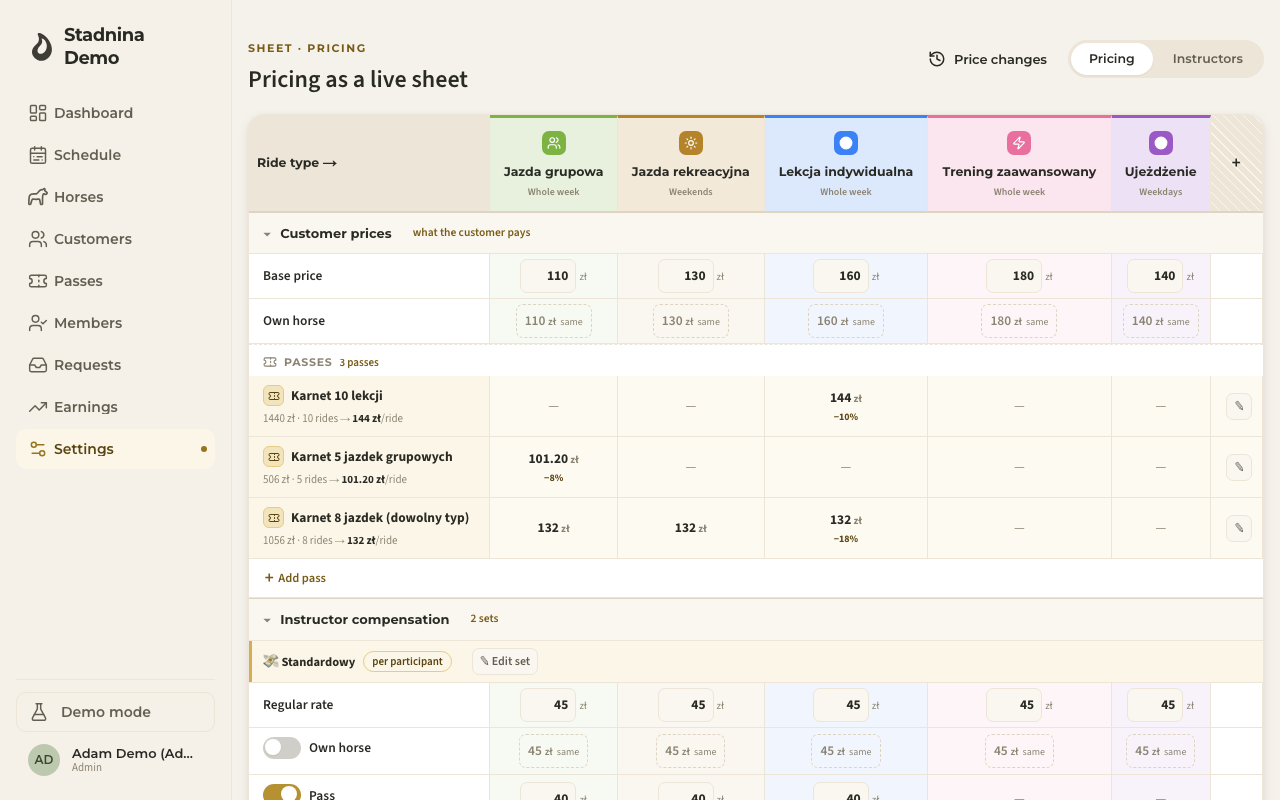
The sheet is laid out as a grid: each ride type is a column, and each row is a price. Click any price to edit it right in the cell — type the new number and press Enter, or click away, to save.
Customer prices
Under Customer prices, you'll find:
- Base price — what a customer pays for that ride type. One editable cell per ride type.
- Own horse — the price for a customer riding their own horse. If you haven't set one, the cell shows same (it just follows the base price); click it to turn on a separate own-horse price for that ride type.
Passes
Under Passes, every pass preset you've created gets its own row, showing its name, the effective price, and the price per ride. For each ride type the pass covers, you'll see the per-ride price and, if it's cheaper than paying per ride, a discount badge. A ride type the pass doesn't cover shows a dash.
- Click the pencil next to a pass to edit it.
- Click Add pass to create a new one.
This is the same pass editor used on the pass presets page — edit from either place and it stays in sync.
Instructor compensation
Under Instructor compensation, each compensation set you've set up gets its own band, showing its name and its mode (per participant, per lesson, or floor). Inside a band:
- Per-lesson rate — a flat fee per ride (for sets in per-lesson mode).
- Minimum (floor) — a guaranteed rate per ride, whichever is higher of the lesson rate or the per-participant total (for sets in floor mode).
- Regular rate — the standard per-participant rate (for per-participant and floor sets).
- Own horse, Pass, Voucher — optional rows you can turn on to pay a different rate depending on how the rider pays. Turned off, they show same and just follow the regular rate.
You can have up to 3 active compensation sets at a time. Click the pencil on a band's title to edit that set, or Add compensation set to create another (greyed out once you're at the limit).
If an instructor's rate is set higher than what the customer pays, you'll see a small warning badge explaining what happens: for cash, card, or an amount voucher, the customer's price is raised to match the payout; for a pass or a rides voucher, the stable absorbs the difference instead.
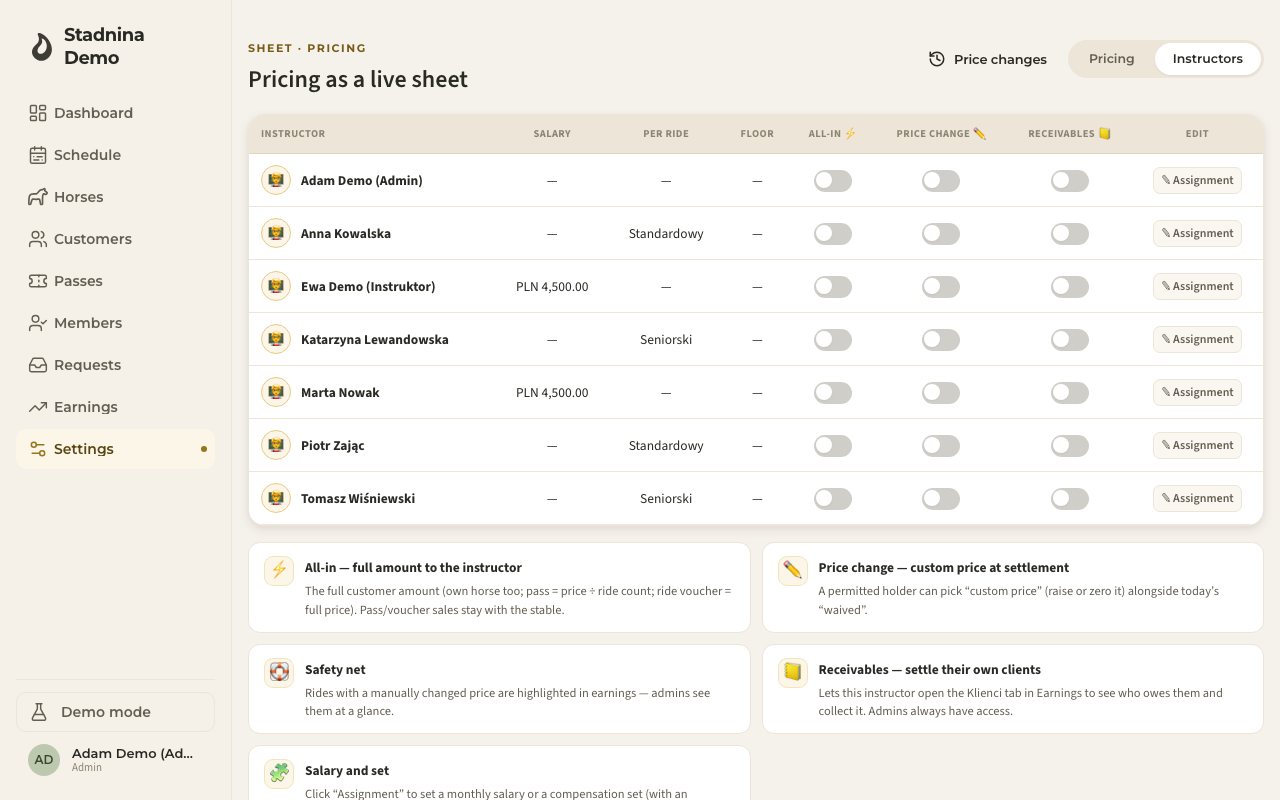
The Instructors tab
Switch to Instructors to see, per instructor: their monthly Salary, their Per ride compensation set, and their Floor set, plus three toggles:
- All-in ⚡ — the instructor gets the full amount the customer pays (own horse too; a pass or ride voucher share is worked out per ride).
- Price change ✏️ — lets this instructor set a custom price when settling a ride.
- Receivables 📒 — lets this instructor open their own client-receivables view in Earnings, to collect what's owed to them.
Click Assignment on a row to open the full editor, where you set a monthly salary, a per-ride set, a floor set — any combination — with a date the change takes effect from.
Price-change history
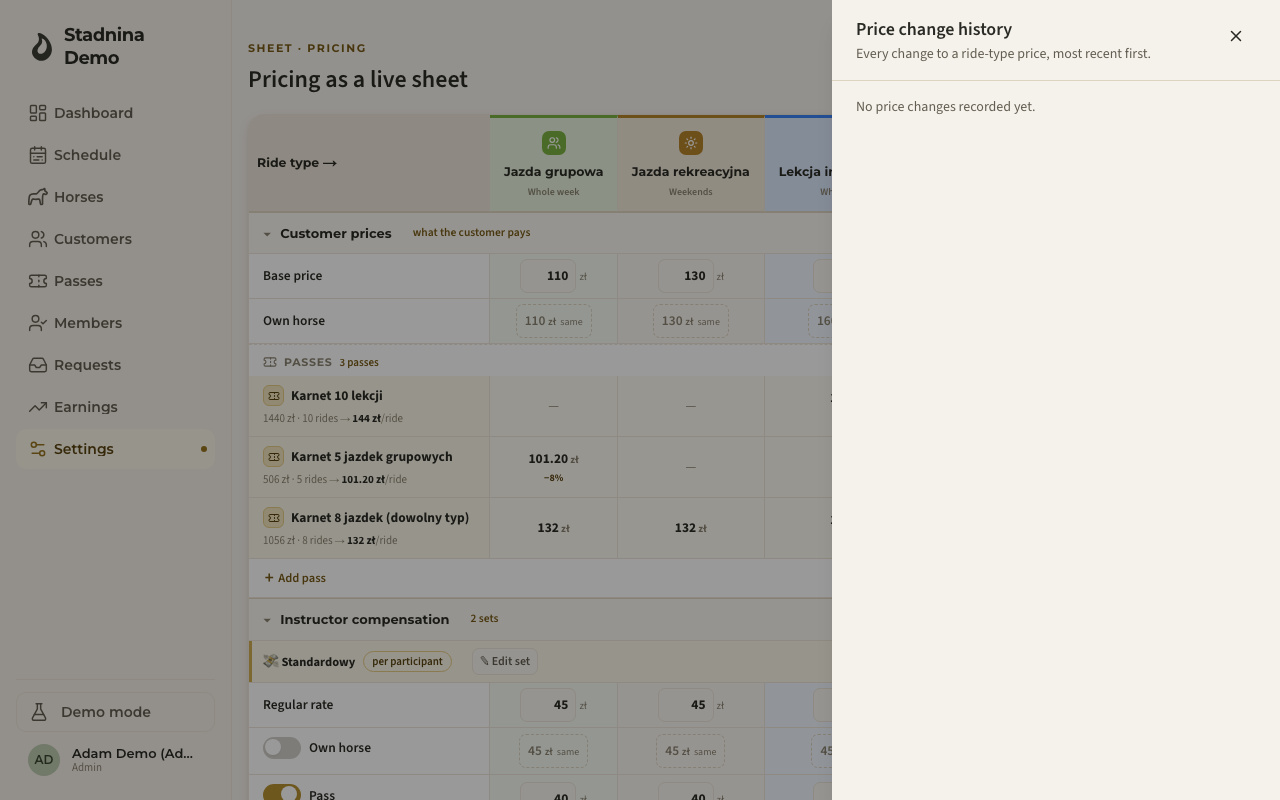
Click Price changes in the top-right corner to open a log of every change to a ride type's base or own-horse price, most recent first, with who made the change.
Good to know
- The sheet doesn't replace the ride types page, the pass presets page, or the compensation page — it's a faster, single-screen view of the same data. Editing a ride type's color, duration, or availability still happens on the ride types page; click a ride type's column header here to jump straight into that same editor.
- A pass's discount can be a fixed price you set once, or a percentage that tracks the ride type's price automatically — this is decided when the pass preset is created.
- If an instructor's per-participant rate is higher than the customer's price, the customer ends up paying more only for cash, card, and amount-voucher rides — passes and ride vouchers never charge the customer extra; the stable covers the gap.
Related
- Ride types — full ride-type editor (name, color, duration, availability).
- Earnings — where these prices and compensation rates are applied when a ride is settled.
- Pass & voucher setup — the full pass-preset editor, pass sharing, and voucher rules.
- Instructor compensation — the fuller compensation editor, if you'd rather work per instructor.