Your wallet and passes
Check what you owe or have in credit, and see the rides left on each of your passes and vouchers.
ForRiders
Some stables track your balance and let you settle rides paid in cash right in the app. If yours does, you'll see a Wallet in your menu — it shows what you owe or have in credit, plus a short history of charges and payments. Every rider can also see their Passes & vouchers — how many rides are left on each pass, and when they expire.
Reading your wallet
If your stable has turned wallet tracking on, open Wallet to see your balance at a glance.
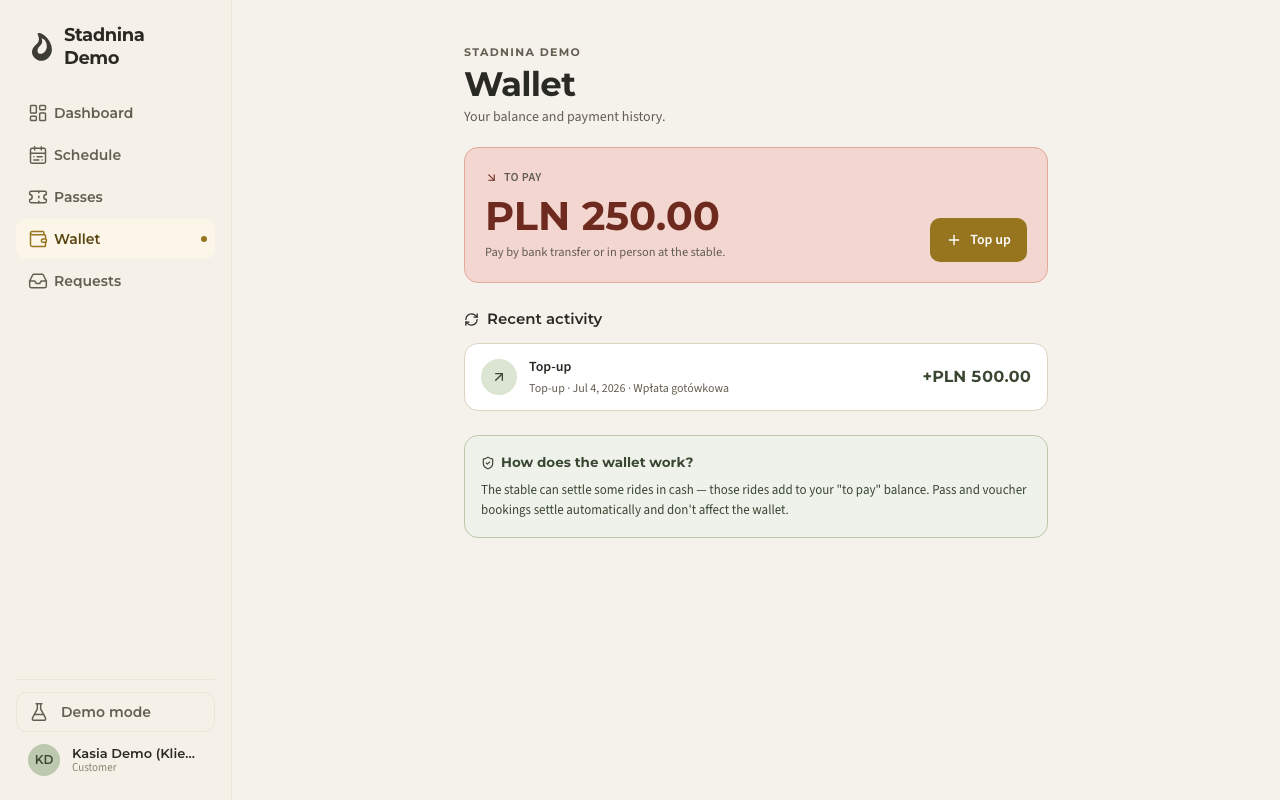
The balance card shows one of these:
- To pay — you owe the stable money. Pay by bank transfer or in person at the stable. If you already hold some credit, it's used first, so this is only what's left after that.
- Available credit — you're in credit. With nothing open right now, it's applied automatically the next time you owe for a lesson. If a lesson is already open, the same heading shows the amount about to be taken from it to cover that lesson.
- Unapplied balance — you're holding credit right beside an open lesson charge, and nothing has matched the two yet — usually because your stable settles lessons by hand instead of automatically. Both figures are shown as they are, rather than cancelled out into a misleading zero; the stable can apply it, or it clears the next time you pay.
- Settled — nothing owed.
If you hold no credit at all, nothing changes for you — a lesson is still settled at the stable as usual.
Below the balance, History lists everything in one place, newest first: ride charges, boarding charges, top-ups and settlements, grouped by month. A charge reduces your balance; a top-up or refund adds to it. If you keep a horse at the stable, the switch above the list narrows it to Rides or Boarding — and the "this month" and "last month" figures recalculate to whatever you are looking at. If nothing has happened yet, you'll see a short note saying so.
Topping up
If you owe money, a Top up button appears next to your balance. Paying online isn't available yet — tapping it just reminds you to pay at the stable or by bank transfer.
Your passes and vouchers
Open Passes & vouchers to see everything you've bought or received, grouped as Passes and Vouchers.
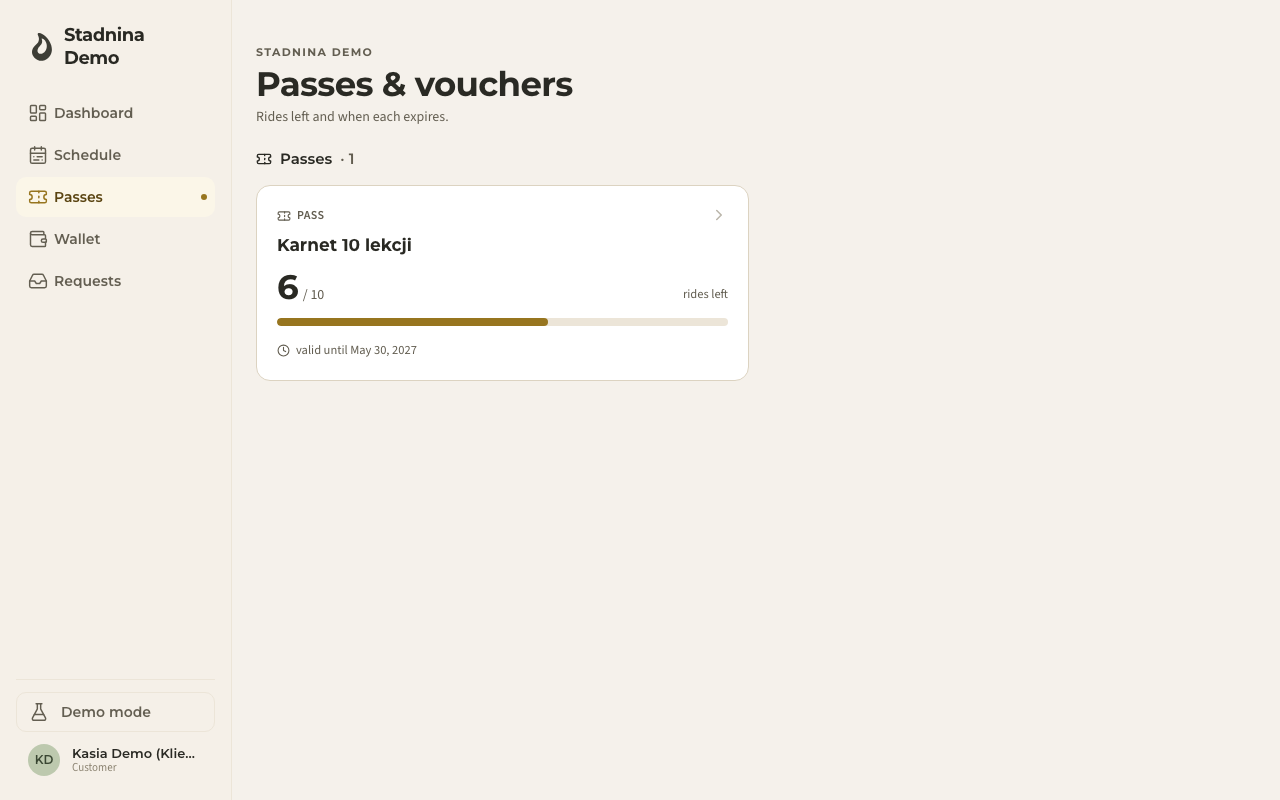
Each pass card shows:
- The pass name, and the ride type it's restricted to, if any.
- Rides left, as a number out of the total and a progress bar.
- The date it's valid until.
Each voucher card shows its type — an amount voucher, a voucher for rides, or a voucher for a pass — its remaining value or ride count, and its expiry date.
Tap a card to see its full details:
- A pass's detail view repeats Rides left and Valid until, and lists Used rides — every ride it's been used for, with the date, ride type, and instructor. A pass is deducted automatically when you join a matching ride; there's nothing to redeem by hand.
- A voucher's detail view shows its face value or ride count, ride type (if any), and expiry. An amount voucher is deducted from your next eligible ride and a rides voucher is applied automatically when you join a matching ride; a voucher for a pass has to be converted by the stable first — contact them to do it.
If you have no passes or vouchers yet, the page tells you so instead of showing empty lists.
Good to know
- The Wallet only appears if your stable has turned balance tracking on. If you don't see it in your menu, the stable settles everything another way (for example, always by pass, voucher, or cash on the spot) — your Passes & vouchers page still works either way.
- Rides paid with a pass or voucher settle automatically and never touch your wallet balance — only cash-settled rides do.
- Whether credit is applied automatically or only ever by staff is a setting your stable controls. If you often see Unapplied balance, your stable has likely chosen to settle every lesson by hand instead.
- If you're a parent with linked children, you may see a switcher to view a child's own wallet and passes.
Related
- Your dashboard — your rides and balance at a glance.
- Passes — how the stable sets up and sells passes.
- Vouchers — how the stable sets up and sells vouchers.