Ride types
Defaults for duration, pricing and calendar colours.
ForAdmins
On this page
Ride types are the kinds of rides your stable offers — group lessons, individual lessons, trail rides, and so on. Each one carries a default duration, a default price, and a calendar colour. Admins can open this page; instructors can view it too, but only admins can add or archive a ride type.
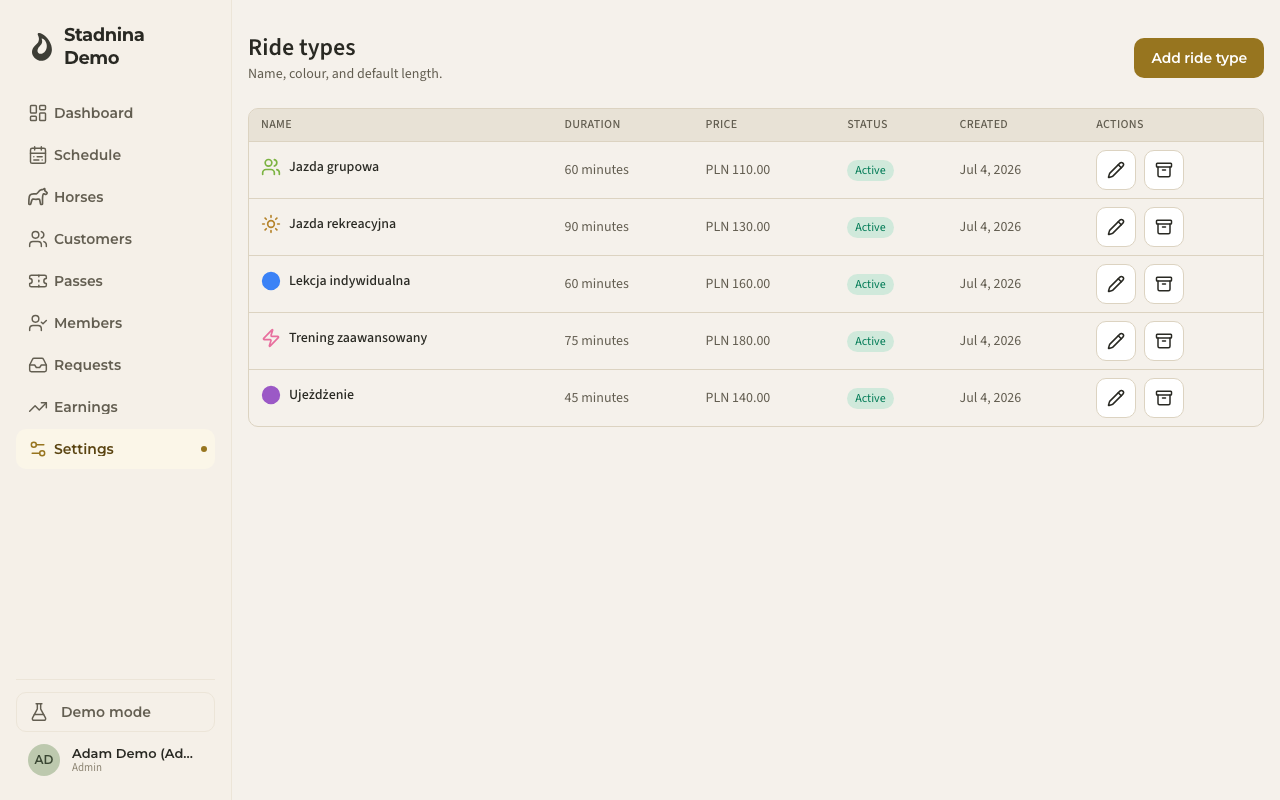
Adding a ride type
- Go to Settings → Ride types.
- Click Add ride type.
- Enter a Name (for example "Group lesson") and, optionally, an Abbreviation (up to 4 characters — leave it empty and one is generated from the name).
- Set the Default duration and Default price.
- Pick a Calendar colour and an Icon.
- Choose the Availability — Whole week, Weekdays only, or Weekends only.
- Click Save.
Charging more for a rider's own horse
Turn on Different price on own horse to set a separate price for participants who ride their own horse — either listed as an owner or covered by an active lease during the ride. When it's off, everyone pays the ride type's default price.
Choosing which horses a ride type can use
Under Horses, pick whether new rides of this type default to the type's own horses, plus any additional horse groups you select. Leave it as Default ride-type horses if you don't need to restrict it further.
Editing or archiving a ride type
- Click the pencil icon to edit a ride type's name, price, duration, colour, or availability.
- Click the archive icon to archive one you no longer offer (admins only).
Good to know
- Archived ride types stay linked to past rides but are hidden from future ride pickers.
- Prices you set here are the starting point — you can still override the price on an individual ride at checkout.
Related
- Creating rides — where a ride type's defaults are applied.
- Pricing — the full pricing sheet, including passes and instructor pay.