Your horse's board (owner portal)
See your boarding contract, what's due, your credit, and the full charge history — for free.
ForHorse ownersRiders
If your horse boards at a stable that runs on Nose, you get a free window into everything that concerns it: the contract terms, what's due and by when, your credit, and the full history of charges and payments. No more asking for a spreadsheet — the numbers you see are the same ones the stable sees.
Getting access
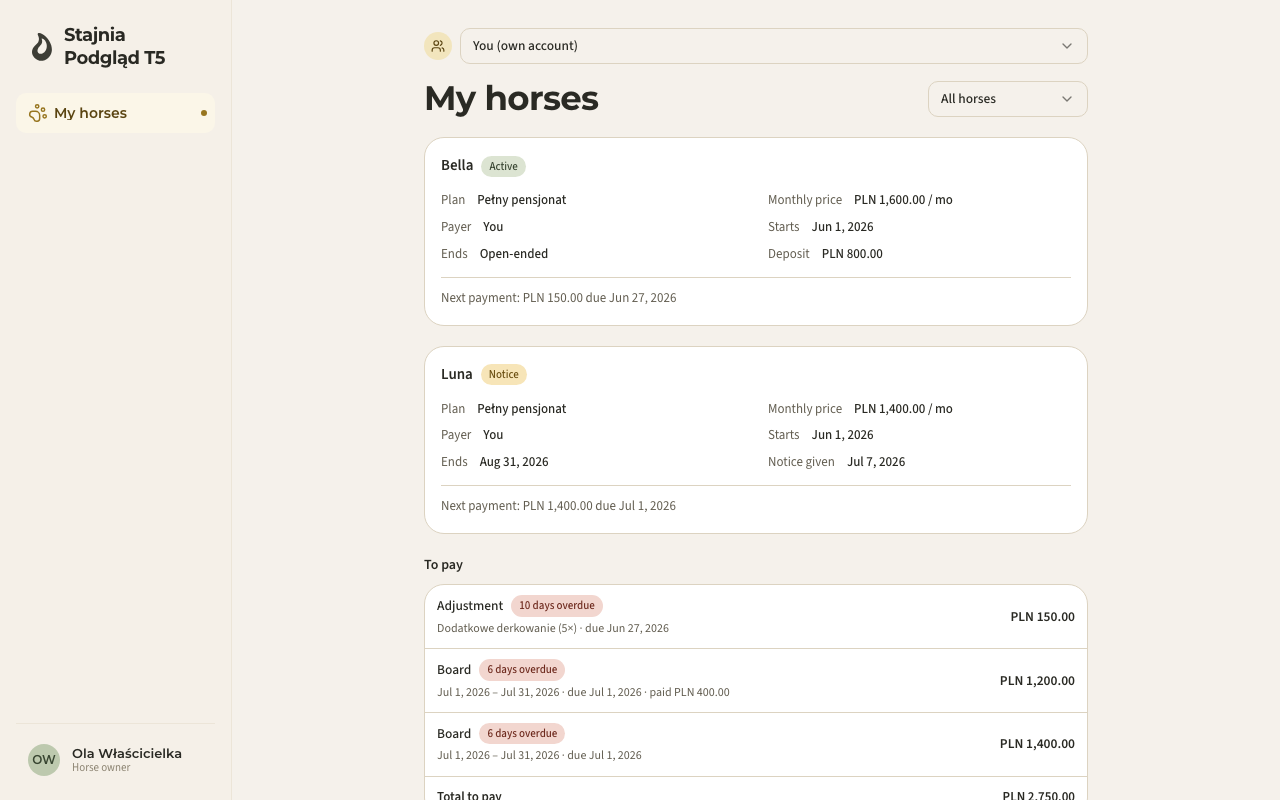
The stable links your account to your horse — usually by sending you an invitation. Once you accept it and the stable's boarding module is on, a My horse page appears in your menu (My horses, with a horse switcher, if you have more than one).
What you see
- Contract summary — the plan, the monthly price, who the payer is, start (and end) dates, any notice given, and the deposit.
- Next payment — the nearest amount due and its date, right under the summary.
- To pay — every open charge, with its due date and status. A partially paid charge shows how much is already covered; anything past its date is clearly marked overdue.
- Credit (overpayment) — money recorded at the stable in your favour; it reduces your next settlements.
- Charge history — everything already settled, waived or cancelled, so nothing ever just disappears.
Paying
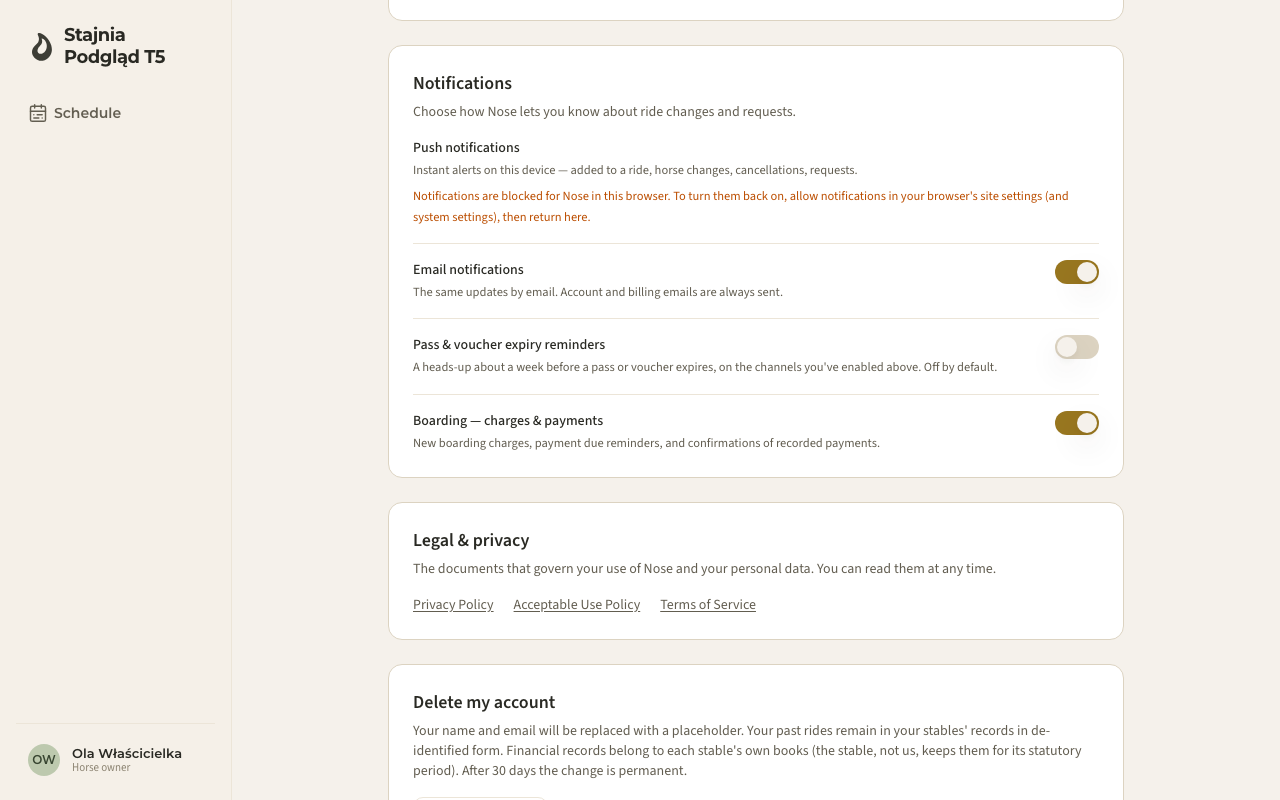
Boarding is paid directly to the stable — cash or transfer, as you've agreed. When the stable records your payment, the charge flips to settled in your view and you get a confirmation. You'll also be notified when a new monthly charge is issued and reminded shortly before it's due.
You can tune those messages in your account's notification settings — the Boarding — charges & payments switch:
Who sees the money
Only the contract's payer sees amounts, balance and history. If you're linked to the horse but someone else pays (a co-owner, a family member), you'll see the contract with a note naming the payer — and no money. Parents managing a child's account see exactly what the child would see.
Good to know
- If the page says No boarded horses, the stable hasn't linked a contract to your account yet — ask them to check the payer and owner links on the contract.
- The portal is read-only: to question a charge or change the plan, talk to the stable — corrections they make show up in your history, never silently.