Plans, contracts & charges
Turn on the boarding module, set your billing rules, run contracts, and record payments.
ForAdminsInstructors
On this page
- Turn the module on and set your rules
- Register a contract
- Monthly charges — automatic
- The service catalogue: when each kind bills
- Recording payments
- Horse away? Use a hold
- Notice and ending a contract
- Times of day instead of clock times
- The health register — farrier, vaccination, worming
- Health events — one visit, one record
- Good to know
- Related
The Boarding module runs the other half of a stable's business: horses that live at your yard. You set up a price list of plans, register a contract per horse, and Nose generates the monthly charges on its own — you only record the payments. Admins manage everything here; instructors can open the Boarding page to look things up, and helpers never see any money.
Turn the module on and set your rules
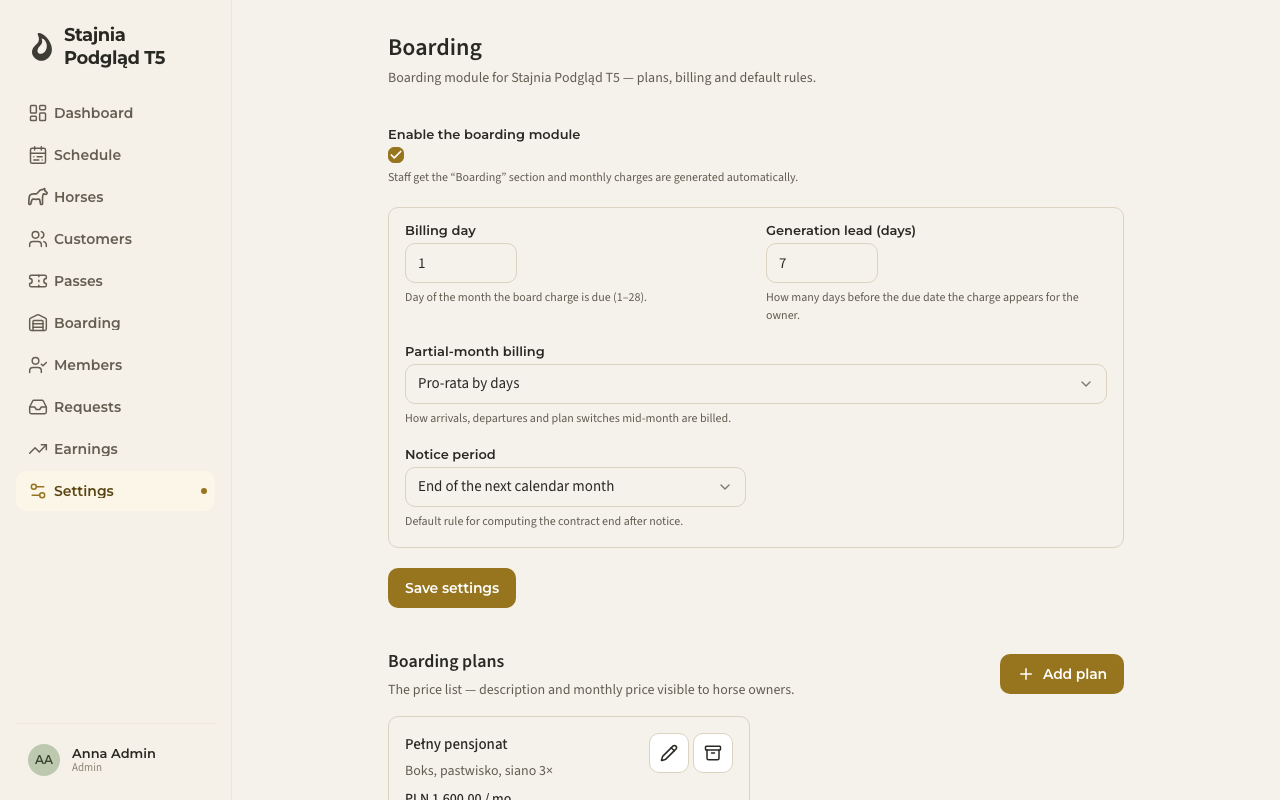
- Go to Settings → Boarding and switch on Enable the boarding module. Staff get a new Boarding section in the menu, and monthly charges start generating automatically.
- Set the defaults that match how your yard bills:
- Billing day — the day of the month a board charge is due (1–31; 31 means "the last day of the month" — the 28th in February, the 30th in April).
- When to raise the charge — In advance — for the current month (August's board is due in August) or In arrears — for the closed month (August is billed once the month has ended, and falls due in September). It covers board, holds and monthly subscriptions; services billed per occurrence are always charged the moment they are performed.
- Generation lead (days) — how many days before the due date the charge appears for the owner. It only matters when you bill in advance; in arrears the field is disabled.
- Payment term (days) — how many days after the billing day a charge is still merely "due" rather than in arrears. It defaults to 0, which is the behaviour you had before: overdue the day after it falls due. Set the number of days you really allow for a transfer (7 or 14, say).
- Partial-month billing — how arrivals, departures and plan switches mid-month are billed: Pro-rata by days, Started weeks, or Full calendar month.
- Notice period — how a contract's end date is computed after notice: End of the next calendar month (the common custom) or a fixed number of days.
- Build your price list under Boarding plans with Add plan: a name, a description of what's included (visible to owners), the monthly price, and an optional day rate for short stays.
Each contract can override the billing day, the partial-month rule, and whether it bills in advance or in arrears — one horse on different terms doesn't force a settings change. A change applies to charges generated from then on; those already issued keep their due date.
Register a contract
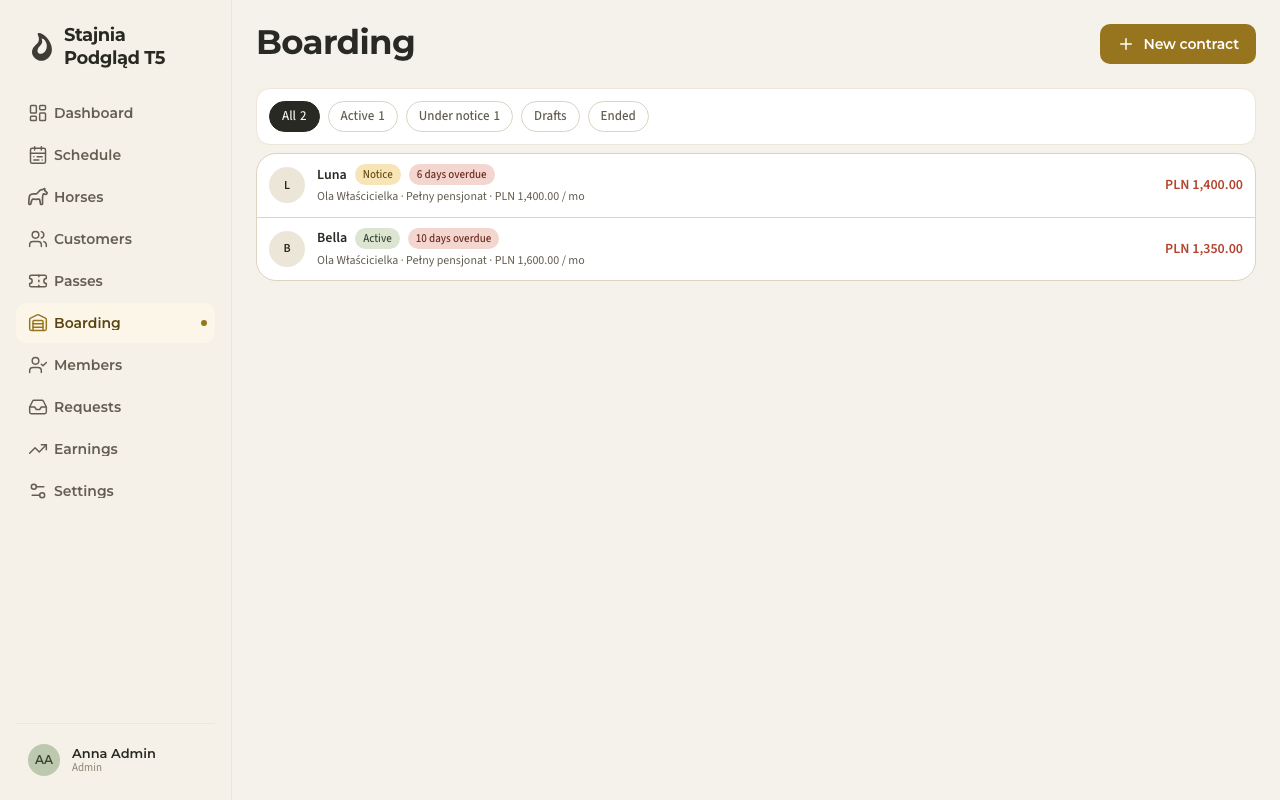
- Open Boarding in the menu and click New contract.
- Pick the Horse and the Payer — the person the charges go to. The payer must be a member of your stable (usually the horse's owner; invite them first if needed, see the owner portal).
- Pick a Plan, or choose No plan (custom price) and enter a negotiated monthly price.
- Set when it Starts, and optionally an end date for fixed-term stays ("horse hotel").
- Optionally add a Deposit — it is charged when the contract is activated and settled when the contract ends.
- The Billing preview at the bottom shows exactly what will be charged and when — including a prorated first month — before you save anything.
- Click Save draft. The contract is saved as a draft: nothing is billed yet. When the horse actually arrives, open the contract and click Activate contract. If it's already standing in your yard, Activate on the form does both in one go.
Monthly charges — automatic
Once a contract is active, Nose generates its board charge every month. Billing in advance, the charge appears ahead of the due date by your generation lead. Billing in arrears, it is raised once the month has closed and falls due in the month that follows — the generation lead doesn't apply then, and the field is disabled. Generation is safe and never doubles up — a month that's already billed is skipped. The contract's Upcoming charges panel shows what's coming; Generate now creates anything already due without waiting for the daily run.
Charges come in kinds you'll recognise on every list: Board, Service, Adjustment, Hold, Deposit, Deposit refund. An unpaid charge moves through three states: Accrued (it exists, but its due date hasn't arrived), Due (past the billing day, still inside the payment term), and only then the red "N days overdue" chip — red appears only once the due date plus your payment term has passed. At a term of 0 a charge is overdue the day after it falls due, exactly as before. Once paid it is Settled — or Waived / Cancelled if you decide so.
The service catalogue: when each kind bills
Under Settings → Boarding → Extra services you build the price list for extras — blanketing, lunging, supplements and the rest. How one bills depends on its pricing model:
- Per occurrence and Per day — you log the work when it happens (Log service in the Boarding menu, or the contract's Services tab), and the charge is created straight away, due on the billing day of the month after the work was done. The confirmation tells you whether a charge was raised and when it falls due.
- Monthly (subscription) — this one bills alongside the board charge: in the same monthly run, on the same billing day, and under the same advance/arrears rule as board on that contract. In advance the generation lead applies to it too; in arrears the subscription — like board — is raised once the month has closed. Adding the service to the price list bills nothing on its own — it has to be attached to every contract that should be charged for it.
Attaching a monthly service to contracts:
- In the service list under Settings → Boarding, every monthly service carries an Attached to N contracts chip. When it is attached to none, an amber warning takes the counter's place — "Not accruing yet — add it to contracts so it starts billing." — meaning it is in your price list, but nobody is being charged for it.
- Click Add to contracts on the service, pick the contracts (you see each one's horse, payer and plan), set a start date and save. Nose attaches the service to every contract you picked; if one fails — it already has that service for the period, say — you see exactly which and why, and the rest still go through.
- You can also attach a service to a single contract from that contract's Services tab (Attach service) — the same operation, one horse at a time.
Attached subscriptions also show on the contract overview, under the monthly price, together with the effective monthly total (board + subscriptions).
Recording payments
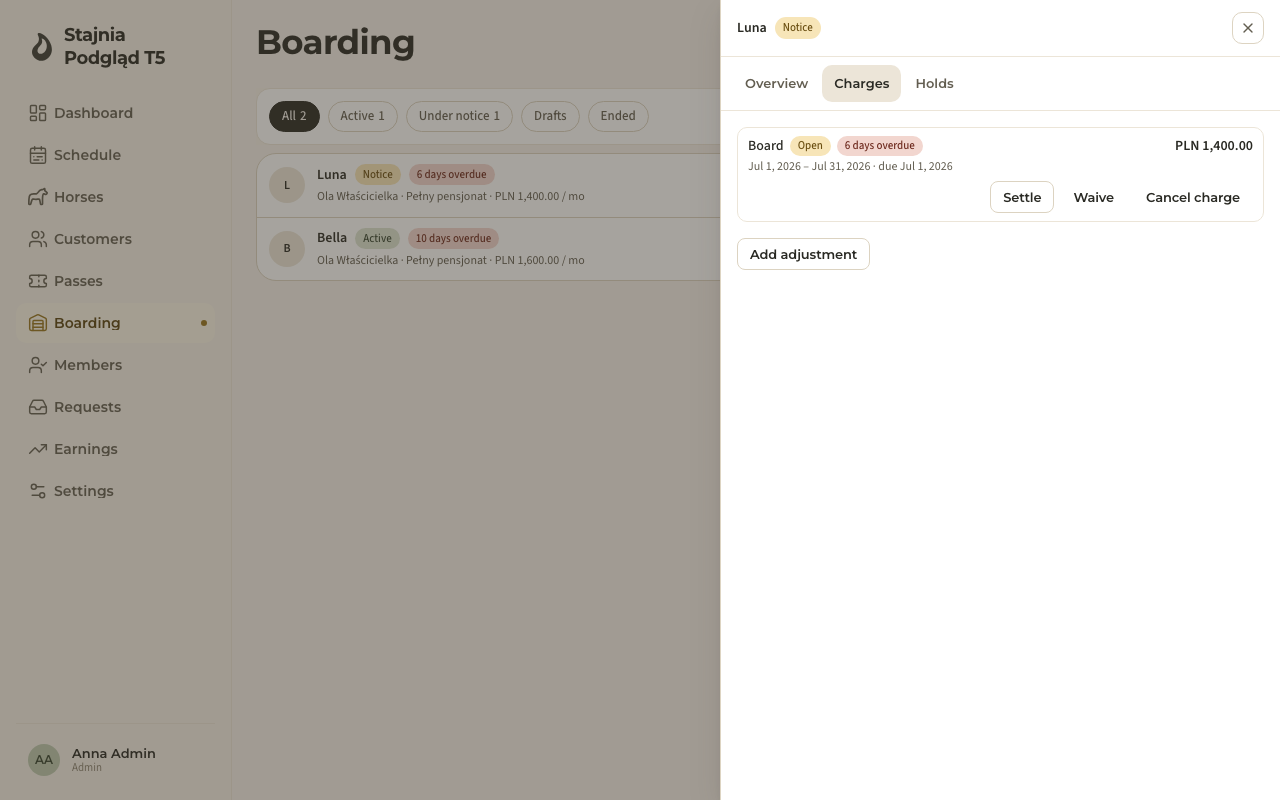
On the contract's Charges tab:
- Click Settle on an open charge.
- Enter the amount (the outstanding amount is pre-filled), pick the Payment method — cash, card or transfer — and optionally a note.
- Click Record payment.
Part payments are fine: the charge stays open and shows how much is already paid. Paying more than is owed turns the surplus into the payer's account credit automatically. Cash payments land in the cash box of whoever recorded them, exactly like ride payments — so Earnings stays honest. You can also settle boarding charges from the Earnings page's client receivables view, alongside unpaid rides.
Three corrections are always available:
- Waive — forgive a charge (a reason is required).
- Cancel charge — remove a wrong charge (a reason is required); the correct one can be generated again.
- Add adjustment — a one-off plus or minus line, e.g. damage repair or a goodwill credit. Positive = payable, negative = credit.
Horse away? Use a hold
If a horse leaves for a while (competitions, rehab) but keeps its box, add a hold on the contract's Holds tab: a date window plus either a special price for that window, a percentage discount, or nothing (full rate). Billing follows the hold automatically.
Notice and ending a contract
- Give notice — the end date is computed from your notice rule and shown before you confirm; the notice month remains payable. A notice can be withdrawn as long as the contract hasn't ended.
- End contract — pick a reason (owner's/stable's notice, horse sold, and so on) and the end date. The Billing corrections preview shows exactly which charges will be cancelled, re-billed at a prorated amount, or adjusted — nothing changes silently.
- Deposit settlement — on an ended contract you can Apply the deposit to open charges (no cash-box impact) and/or Record refund for the rest, optionally as owner account credit. Nose caps it so you can never pay out more than the deposit held.
Times of day instead of clock times
Care work runs on rounds, not on a clock. Tasks, feeding lines and recurring chores are set to a time of day rather than an hour:
| Time of day | Covers |
|---|---|
| Morning | until 9:59 |
| Midday | 10:00–14:59 |
| Evening | 15:00–20:59 |
| Night | from 21:00 |
Three things worth knowing:
- A time of day is a round, not an alarm. Nose sends nothing and marks nothing late at 10:00 — the boundaries above only decide which round a task belongs to and the order the board reads in.
- Several rounds = several things to tick off. A feed set to morning and evening is two separate rows on the board: you can tick the morning one and leave the evening one for later, so the done/total counter stays honest.
- It is optional. With no round chosen a task simply belongs to the day ("any time") and waits at the bottom of the list.
The health register — farrier, vaccination, worming
The farrier, vaccinations and worming are cycles that concern the whole yard, not one horse. The health register shows them from that side: pick one kind at a time and see every horse in the yard, whether it has a date or not — not just the ones with something coming up soon.
- On the Boarding page, switch Tasks ⇄ Health in the header. The shift board gives way to the kind picker: Farrier, Vaccination, Worming.
- Pick a kind with its chip. The table shows every horse for that kind, grouped into bands:
- This round — overdue, due today, and the coming week. This is what you book now.
- This month — worth adding to the round if someone is coming out anyway.
- Later — nothing to do; it's here so it doesn't drop out of sight.
- No date — the cycle is set up, but nobody has ever recorded the last one and nothing is planned. There's nothing to count a due date from, so the horse won't turn up in a reminder either — not until someone adds a last-done date on the horse's card, or plans the next one as a health event.
- Not set up — the horse has no cycle of this kind at all, and nothing planned. Collapsed behind its count by default, because in most yards this is where most horses are; expand it to see which ones and set a cycle (Set cycle takes you to the horse's card). A horse with a planned date but no cycle isn't in this band — it sits in the band its planned date falls in.
- Tick the horses you're doing this round for — a bar appears under the table with a count, Clear, and Tick off the round. Horses in the "This round" band are ticked by default; add or remove any horse you like.
- In the Tick off the round dialog, pick one done date for every horse you ticked — it's one act, not eight separate dialogs. Any horse can still be dropped from the round up to the last moment, and you see a preview of each one's next due date. If you want, record this round's cost too — from that kind's own service price list (farrier usually has a few, e.g. "Full set" and "Front only"), with the amount adjustable and a payer (owner or yard) picked per horse. Only an admin sees this — an instructor ticks off the round with no cost section at all.
- On save, one message sums up the round: how many horses were ticked, and if any didn't have the cycle, how many were skipped.
Health events — one visit, one record
The register above answers who is due. A health event answers what actually happened, and what is planned next. Each one is its own record — the date, the type, what it covered, a note, who did it and, if the yard paid, a price — and nothing overwrites anything: last year's vaccination is still readable after this year's.
That is the difference between an event and a routine. A routine (the health cycle on the horse's Care tab) is a rule: how often, plus the date of the last one. Recording a round moves that single date, and the date it replaces is gone. An event is the record of the round itself, so a horse builds a history — and a planned event is a decision ("the farrier is booked for the 3rd"), which a routine cannot express at all, since its next date is only ever arithmetic.
The two work together. The routine still says how often; the event says what was done and what is booked. Where a horse has a planned date, that is the date the register shows and the date the reminders follow. Where it hasn't, the routine's arithmetic answers exactly as it always did.
Recording one
On the Care page in the Health view, click Add health event — admins and instructors; helpers don't get the button.
- Type — worming, vaccination, farrier, vet, dentist, physio or breeding. The last four are new: they never had a cycle, so until now there was nowhere to record them at all.
- Date sets the Status for you: today or earlier is Done, a future date is Planned. Pick a status by hand and Nose stops guessing — changing the date afterwards won't overrule you.
- Horses — as many as you like, or Whole yard in one click. "Whole yard" is stored as the whole yard, not as the list of horses standing there this minute, so a horse that arrives before you save is included.
- What it covers — the vaccine, the wormer, "front shoes only".
- Price — admins only, and only on a Done event, because a plan is never a bill. Fill it in only if the yard paid and the owner is to settle up; if the owner paid the vet directly, leave it empty. Above one horse you also get a total, because a price × the whole yard is that many real charges from one button.
- Note and Who did it — the note is this visit's ("suspected laminitis, box rest, vet Thursday"); "who did it" comes from the stable's contact book, narrowed to the people who do that kind of work. A helper sees the event and what it covered, never the note.
The three repeat modes
Repeat is one question, asked because the answer decides what else gets written:
| Repeat | What it writes |
|---|---|
| One-off | The event, and nothing else. |
| Recurring | The event and the horse's routine — "every 6 weeks" gives every horse in the selection a six-week farrier cycle, or re-points the one it already has. |
| Follow-up | The event and one planned date after it: "check in 3 weeks". No routine, and no repetition beyond that single date. |
Recurring is the quickest way to clear the "Not set up" pile: record the round you were doing anyway, choose Recurring, and every horse you ticked comes out with its routine configured. It applies to worming, vaccination and farrier — the three kinds that have a routine at all; on a vet, dentist, physio or breeding event the option isn't offered.
On the horse
The horse's Care tab carries a Health history block: everything recorded for that horse, newest first, with planned ones marked as such. Recording a Done event also moves that routine's last-done date, exactly as ticking off a round does — you never have to do both.
Good to know
- Who sees what: helpers never see boarding money; owners see charges only for their own horses, and only the contract's payer sees amounts. See the owner portal.
- Notifications: the payer gets a message when a new charge is issued, a reminder shortly before it's due, and a confirmation when you record their payment. Admins are notified of recorded payments too.
- Arrears at a glance: the Boarding list shows a red "days overdue" chip and the open amount per contract, so you see who to chase without opening anything.
- A payer with an active contract can't be deactivated or deleted — end the contract first.