Booking rides
Ask for a seat on a scheduled ride, then track whether the stable accepted it.
ForRiders
On this page
If your stable accepts ride requests, you can ask for a seat on a scheduled ride instead of waiting for staff to add you. Every rider (or a parent booking for a child) can do this from the schedule.
Asking for a seat
- Open the schedule and find a ride with open seats — it's marked Open seats when you tap or click it.
- Open the ride. If seats are free, you'll see how many are left and a Request a seat button.
- Tap Request a seat. The stable now has to confirm it — your seat isn't booked yet.
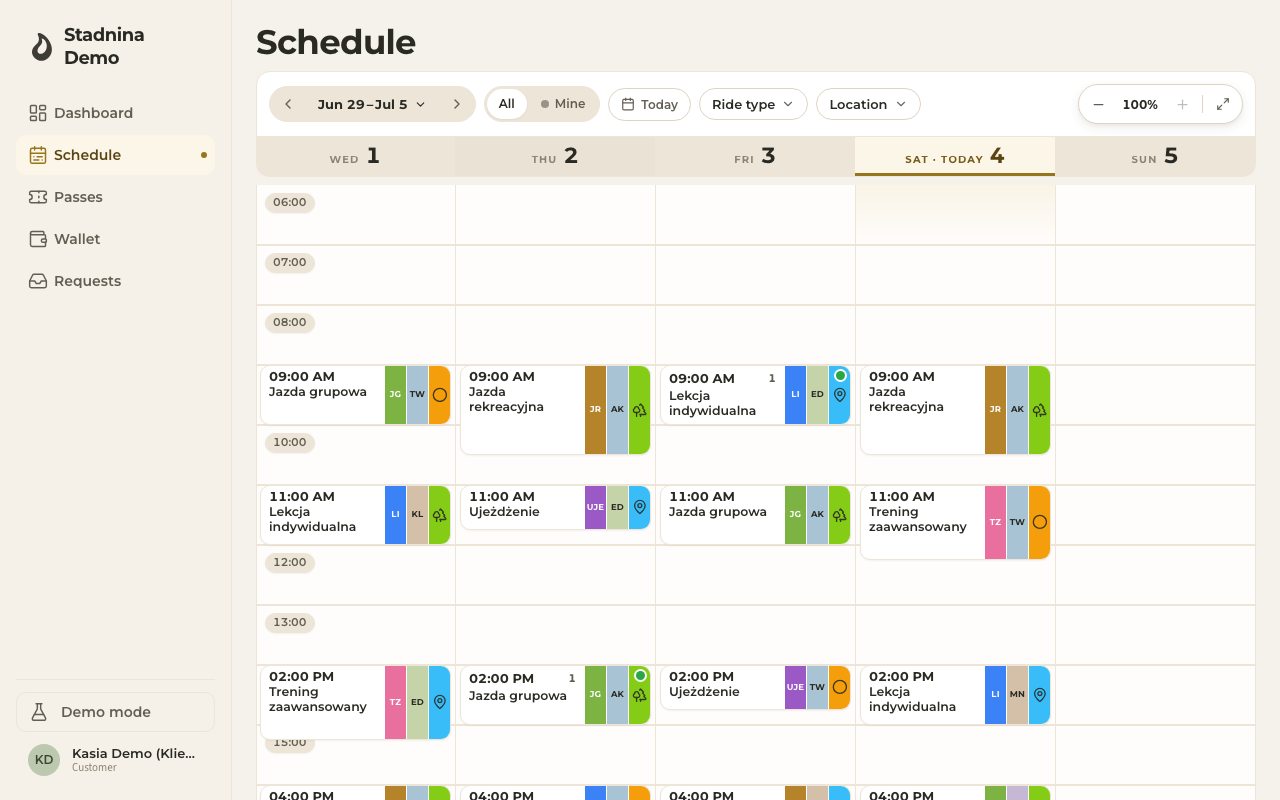
If the stable doesn't accept ride requests, you won't see this button — ask them directly instead.
What happens next
- Your request shows as Request pending on the ride, and as Pending in your requests list.
- The stable can accept it (it becomes a real booking) or decline it. You'll be notified either way.
- You can only have one pending request per ride — asking again shows "You already have a pending request for this ride".
- A request left unanswered around the time of the ride eventually expires on its own.
Seeing your requests
Open Requests & history to see everything in one table — every ride you've requested and every ride you've actually attended, newest first.
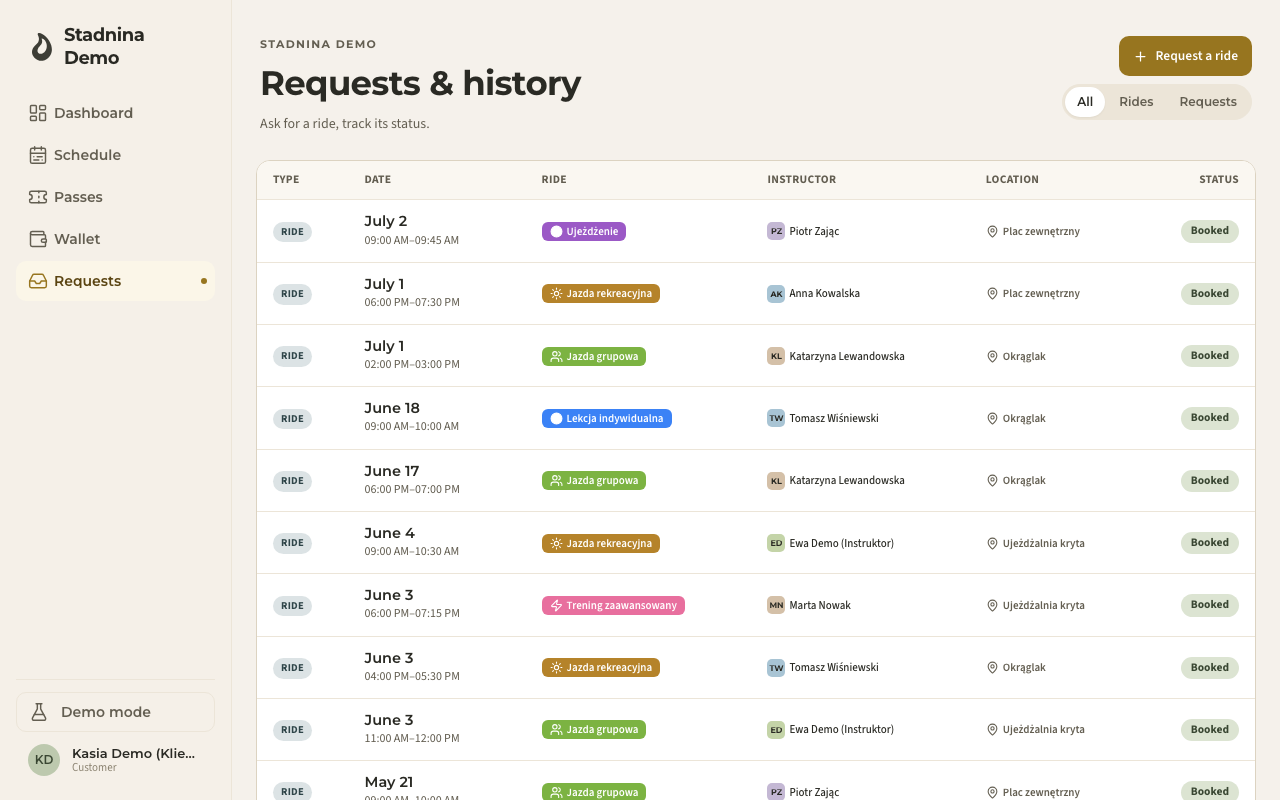
- Use All, Rides, or Requests at the top to narrow the list.
- Each row shows its Status: Pending, Accepted, Declined, Cancelled, or Expired for requests; Booked, Past, or Cancelled for rides.
- Tap a row to open its details — ride type, instructor, horse, place, and a short timeline of what happened (sent, then accepted/declined/waiting).
Cancelling a request
Open a Pending request from your list and tap Cancel request. This withdraws it before the stable has decided — it only works while the request is still pending; once it's been accepted or declined there's nothing left to cancel.
Cancelling a ride you're already booked into is different — that's done from the ride itself, and free cancellation is only available up to a cutoff set by your stable. Past that point you'll need to contact the stable directly.
Good to know
- If a parent is booking for a child, switch to that child first — requests and history are tracked separately per rider.
- A ride that's already started can no longer be requested — that door closes once the ride begins.
- If the stable doesn't confirm in time or the ride passes, a pending request quietly expires rather than sitting there forever.
Related
- Your dashboard — your next rides and requests at a glance.
- Week and day views — finding rides on the schedule.
- Requests (staff side) — how the stable reviews and confirms requests.