Pass & voucher setup
Define the pass bundles you sell, decide whether passes can be shared, and set your voucher rules.
ForAdmins
This page covers three related settings screens: the pass bundles you sell, whether a pass can have more than one holder, and your voucher rules. All three are admin-only.
For how passes and vouchers are actually sold and used day to day, see Passes and Vouchers.
Pass presets
A pass preset is a buyable bundle you define once — instructors then issue it to customers. Go to Settings → Passes.
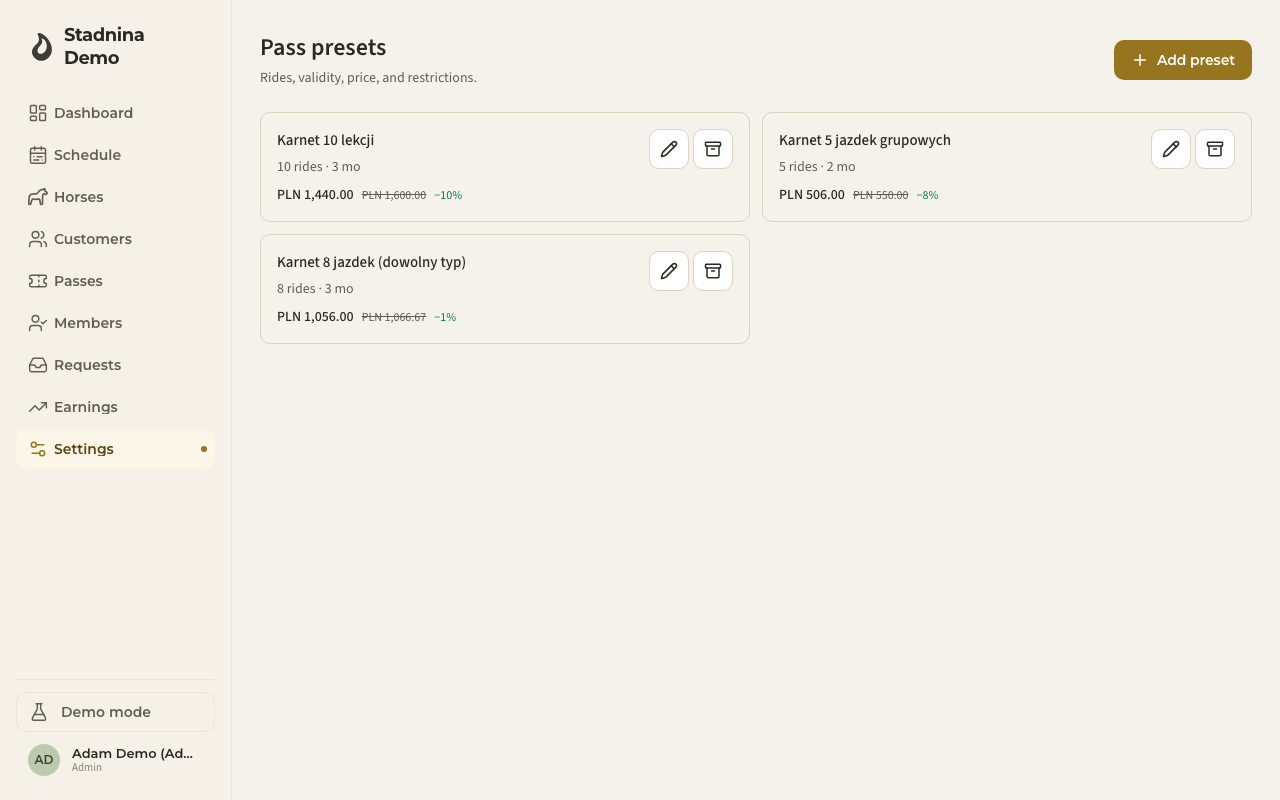
Each preset in the list shows its name, number of rides, validity, and price — with a discount badge if it's cheaper than paying per ride. Click Add preset to create one, or the pencil on an existing card to edit it:
- Name — what shows up when instructors issue the pass.
- Number of rides — how many rides the pass covers.
- Validity — how long the pass is valid, in weeks, months, or years.
- Eligible ride types — which ride types the pass can be used for, or Any ride type to leave it open. A ride type can be marked as not eligible for passes, in which case it can't be picked here.
- Pass can be shared with other customers — whether this specific pass allows more than one holder. This works together with the stable-wide sharing setting below: both need to allow it for a pass to actually be shared.
- Regular price — calculated automatically from the ride types' prices, shown for reference.
- Discount % and Discounted price — what the customer actually pays; edit either one and the other updates to match.
- Notes — optional, for your own reference.
Archiving a preset stops it being issued to new customers — passes already issued from it stay valid until they expire. You can't archive a preset that's still attached to an active pass.
Pass sharing
The Pass sharing section of that same page decides whether a pass can have more than one holder — useful for families or riding partners sharing rides off the same pass.
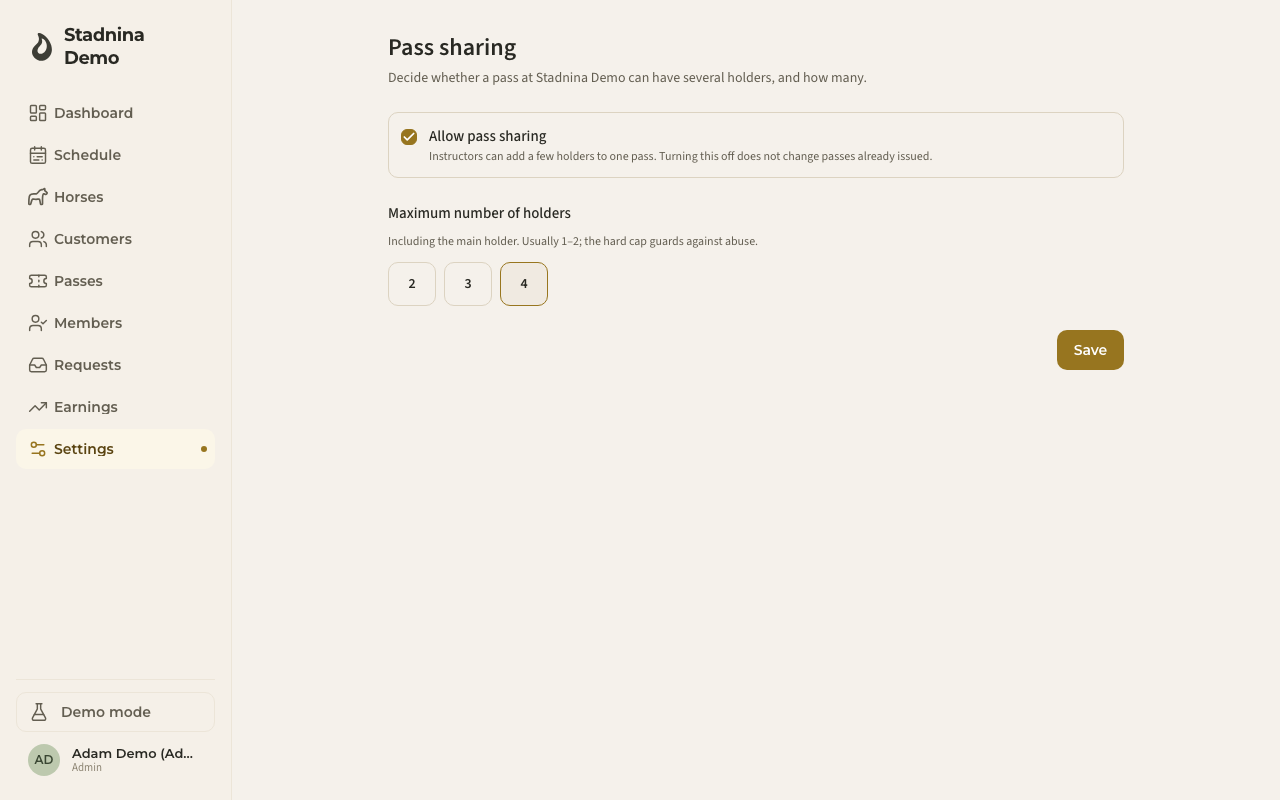
- Allow pass sharing — turns sharing on or off stable-wide. Turning it off doesn't change passes already issued with several holders.
- Maximum number of holders — the most holders one pass can have, including the main holder.
This is the stable-wide switch; whether an individual pass is actually shareable also depends on its own preset (see above).
Voucher settings
Go to Settings → Voucher settings to set the rules for the gift vouchers customers can buy.
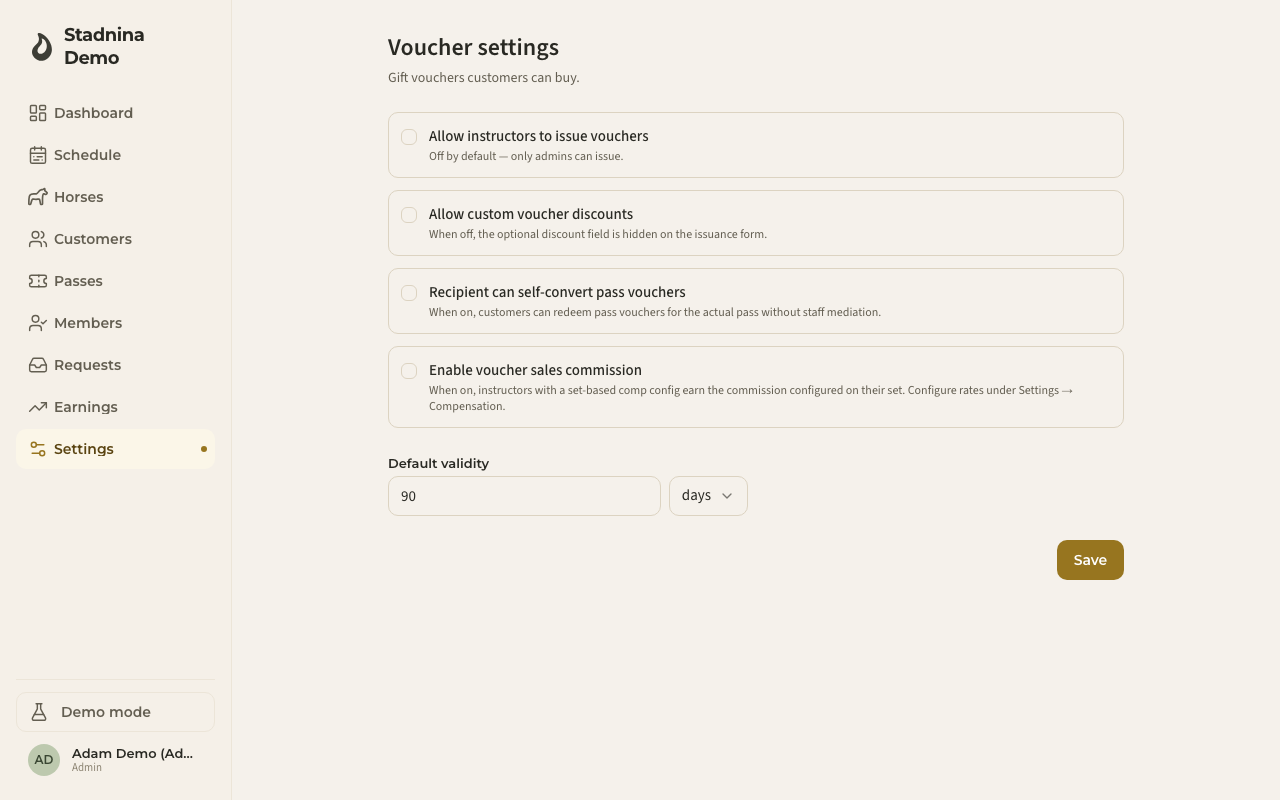
- Allow instructors to issue vouchers — off by default, meaning only admins can issue one.
- Allow custom voucher discounts — when off, the discount field is hidden when issuing a voucher.
- Recipient can self-convert pass vouchers — when on, a customer can turn a pass voucher into the actual pass themselves, without asking staff.
- Enable voucher sales commission — when on, instructors on a set-based compensation plan earn a commission on the vouchers they sell. Set the actual commission rate on the Instructor compensation page.
- Default validity — how long a voucher is valid for by default, in days, weeks, months, or years.
Good to know
- Pass sharing needs both switches to line up: the stable-wide Allow pass sharing setting, and the individual preset's Pass can be shared with other customers field.
- A pass preset's discount can be a fixed price you set once, or a percentage that automatically tracks the ride type's price — whichever you enter last is what's saved.
- There's currently no separate setting for letting instructors issue custom (non-preset) passes — pass issuance always goes through a preset you've defined here.
Related
- Passes — how staff issue and customers use passes day to day.
- Vouchers — how vouchers are sold and redeemed.
- Pricing — pass prices also appear on the pricing sheet alongside ride-type prices.
- Instructor compensation — where you set the actual voucher sales commission rate.