Hours & calendar
Currency, stable opening hours and calendar grid step.
ForAdmins
On this page
Your stable's currency, its opening hours, and how finely the schedule grid is divided when you click to create a ride all live under Settings → General. Admins manage these settings.
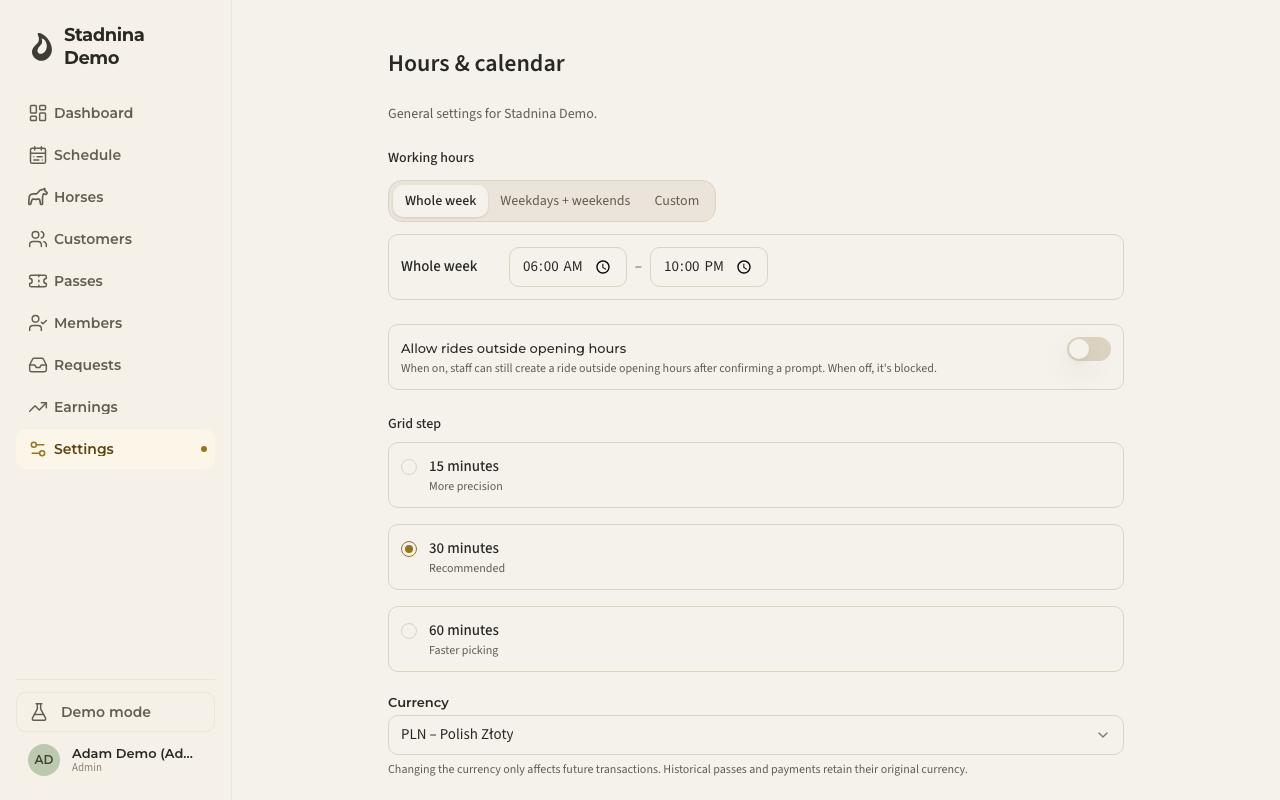
Setting working hours
Choose how you want to describe your opening hours:
- Whole week — one opening and closing time for every day.
- Weekdays + weekends — one window for Mon–Fri, another for Sat–Sun.
- Custom — set each day individually, including marking a day Closed.
Pick the mode from the tabs at the top of Working hours, then set the opening and closing time for each window.
Allowing rides outside opening hours
Turn on Allow rides outside opening hours to let staff create a ride outside your set hours after confirming a prompt. Turn it off to block those rides from being created at all.
Grid step
Choose how the schedule's clickable time grid is divided:
- 15 minutes — more precision.
- 30 minutes — recommended.
- 60 minutes — faster picking.
Currency
Pick your stable's currency from the list. This only affects new transactions going forward — passes and payments already recorded keep the currency they were created with.
Good to know
- At least one day must stay open — you can't close every day at once.
- Closing time must always be later than opening time for a window.
Related
- Booking & cancellation — self-signup and cancellation cutoff settings.
- Week and day views — where the grid step shows up.