Ride requests
The inbox for riders asking to join or book a ride — confirm them onto a ride, or decline with a note.
ForAdminsInstructors
On this page
The Requests page is your inbox for riders asking to join or book a ride — submitted from the public schedule or their own account. Admins and instructors can open it; each request waits here until you confirm or decline it.
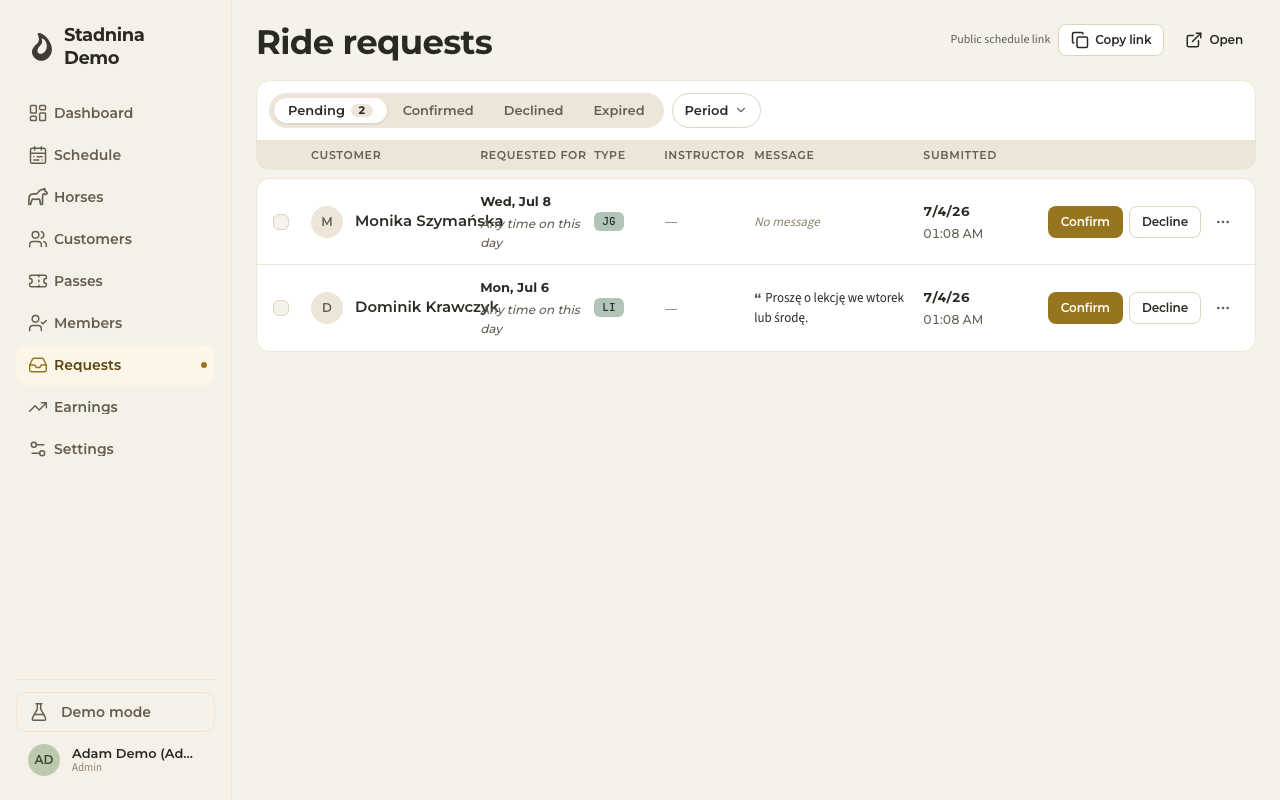
What shows up here
Every request shows the rider's name, the day (and time, if they picked one), their preferred ride type or horse, any message they left, and when they submitted it. A request is one of two kinds:
- A specific ride — the rider picked an exact ride (and sometimes a horse) from the public schedule. You get a single Approve button.
- A loose request — just a day, and maybe a ride type or time. You pick which existing ride to attach them to, or create a new ride for them.
Use the Pending / Confirmed / Declined / Expired / All tabs to filter, and the Period filter (Today, Tomorrow, This week, Next week, Urgent) to narrow by date. Instructors also get an Only mine toggle.
Confirming a request
- Click a request to open its panel.
- If it names a specific ride, click Approve to add the rider straight onto that ride.
- If it's a loose request, either:
- Pick one of the matching rides on this day, or
- Click Or create a new ride and fill in instructor, ride type, location, start time, and duration, then Create & confirm.
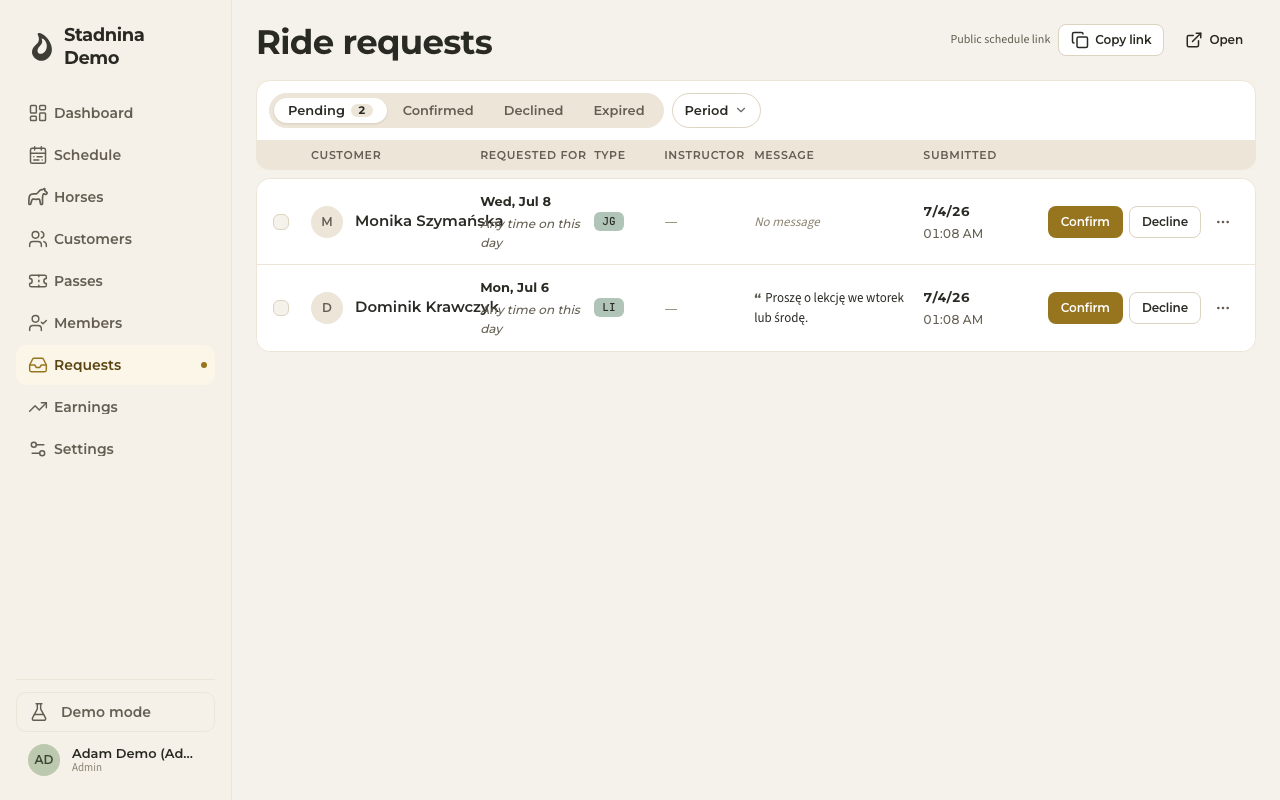
Confirming shows a success message with a link straight to the ride.
Declining a request
Open the request's panel and click Decline. You can add an optional reason — the rider sees it. Declining shows an Undo option for a short window in case you change your mind. You can also select several pending requests with the checkboxes and Decline selected in bulk.
What happens after
- A confirmed request becomes a normal ride booking — it shows on the schedule like any other.
- A declined request notifies the rider, with your reason if you added one.
- Requests that go unanswered expire automatically and move to the Expired tab.
Good to know
- If no requests ever come in, ride requests may be turned off for your stable — check Settings › Booking.
- Anyone in the inbox can reach the rider directly by email or phone from the request panel.
Related
- Customers — the rider's full record once they're a customer of your stable.
- Creating rides — building rides directly on the schedule.