Lista koni
Cała stajnia koni w jednej liście — status, obciążenie pracą, historia i ustawienia na kliknięcie.
DlaAdministratorzyInstruktorzy
Na tej stronie
Strona Konie to lista wszystkich koni w Twojej stajni — każdy koń w jednym miejscu, a jego status, obciążenie pracą i historia dostępne na kliknięcie. Dostęp mają administratorzy i instruktorzy; strona pozostaje ukryta przed jeźdźcami.
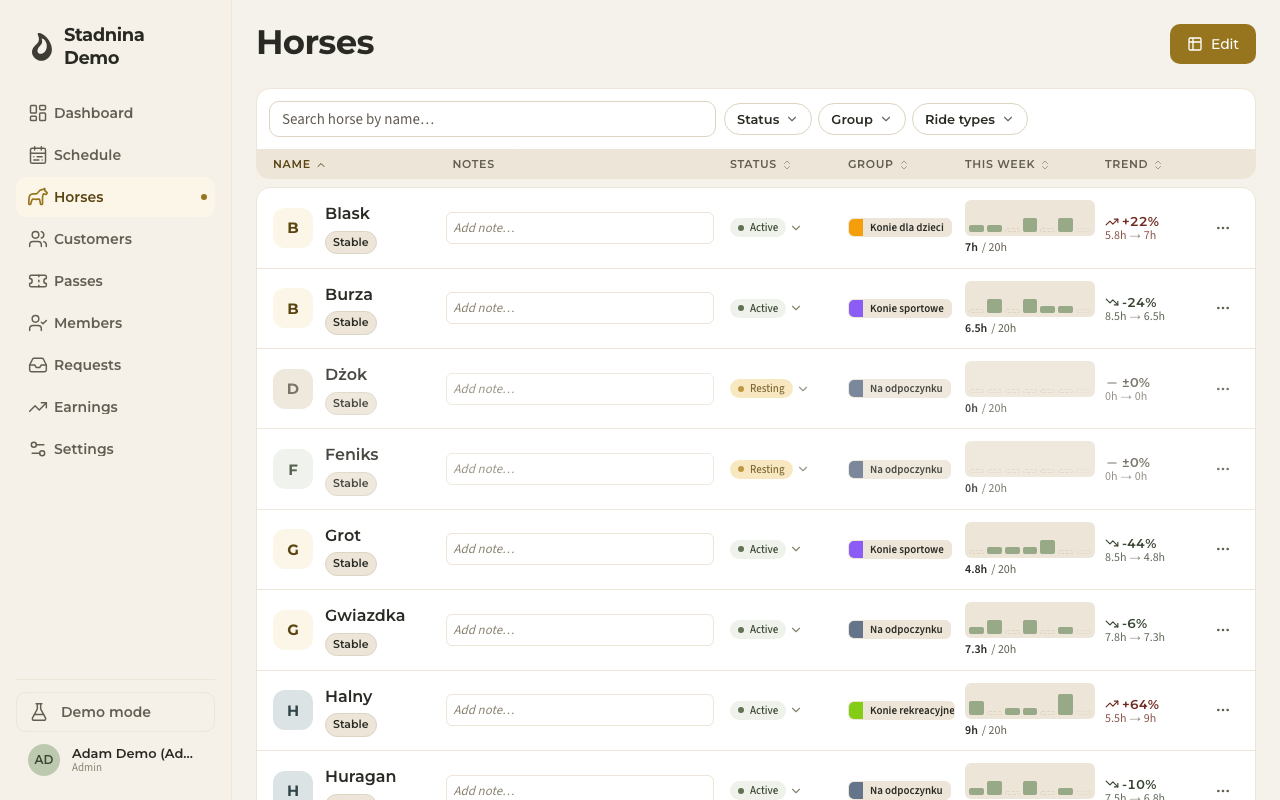
Jak znaleźć konia
- Szukaj po imieniu w polu na górze.
- Filtruj według Statusu, Grupy lub Typu jazdy za pomocą list rozwijanych obok pola wyszukiwania.
- Sortuj dowolną kolumnę — imię, status, grupę, ten tydzień lub trend — klikając jej nagłówek.
Co pokazuje lista
Każdy wiersz od razu mówi Ci:
- Status — Aktywny, Odpoczywa i inne. Zmień go bezpośrednio w wierszu z listy statusów.
- Grupa — oznaczona kolorem grupa konia (na przykład konie sportowe albo konie dla dzieci).
- Ten tydzień — ile koń przepracował w tym tygodniu względem swojego celu tygodniowego, pokazane jako mały pasek.
- Trend — czy jego obciążenie rośnie, czy spada w porównaniu z zeszłym tygodniem.
- Notatki — krótka notatka, którą wpiszesz wprost w wierszu.
Panel konia
Kliknij konia, aby otworzyć jego panel po prawej stronie, z trzema zakładkami:
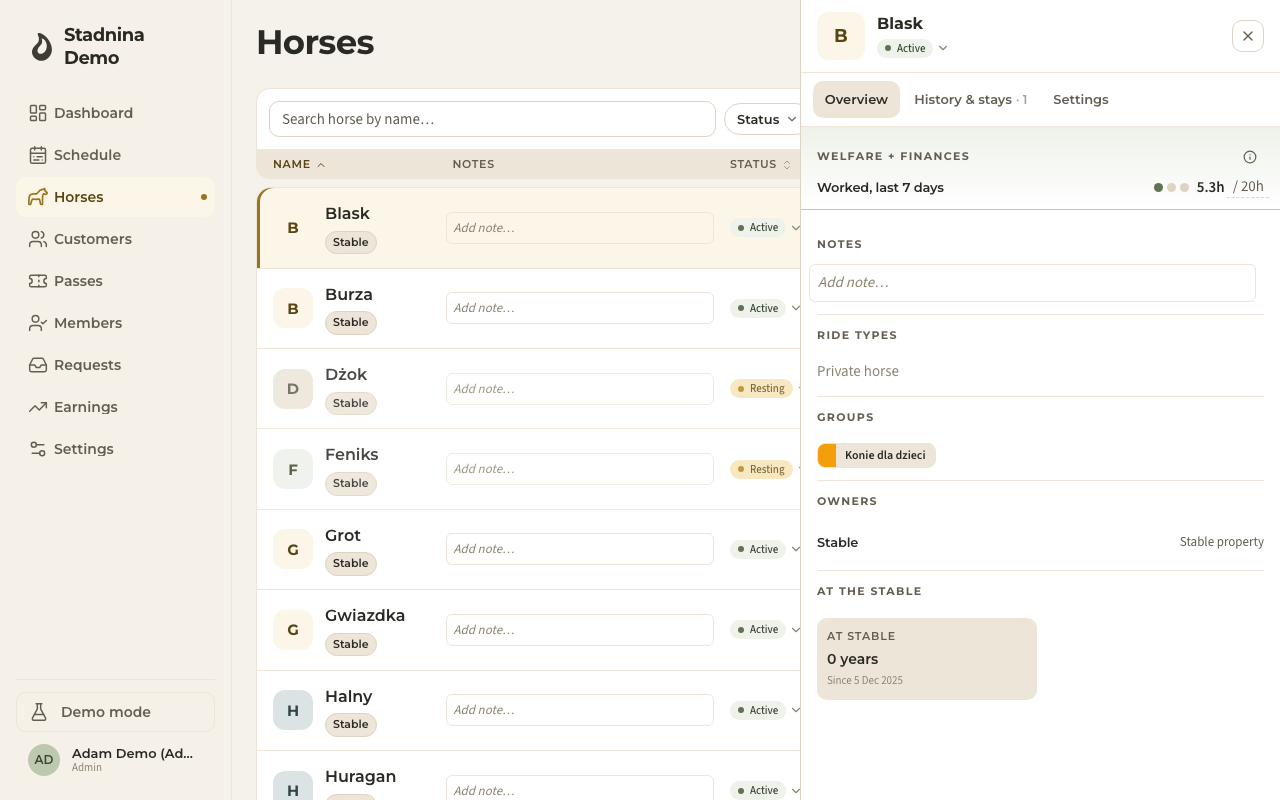
- Przegląd — dobrostan i finanse w skrócie: obciążenie w tym tygodniu, przepracowane godziny w ciągu ostatnich siedmiu dni, przychód w tym miesiącu, notatki oraz typy jazd, do których koń jest używany.
- Historia i pobyty — oś czasu zmian statusu i pobytów konia: kiedy dołączył do stajni, okresy odpoczynku, zwolnienia chorobowe, każdy z opcjonalną notatką. Tutaj dodasz, zmienisz lub zakończysz wpis.
- Ustawienia — dane konia: imię, daty, właściciele, dzierżawa, dopasowanie do typów jazd, grupy oraz opcja archiwizacji. Administratorzy zarządzają wszystkim; instruktorzy prowadzą sprawy bieżące.
Edytowanie kilku koni naraz
Użyj przycisku Edytuj w prawym górnym rogu, aby przełączyć listę w tryb arkusza, szybko zmienić kilka koni i zapisać je razem.
Warto wiedzieć
- Tygodniowe cele obciążenia napędzają pasek „Ten tydzień" i strzałkę trendu. Ustaw cel konia w jego zakładce Ustawienia.
- Koń, który Odpoczywa lub jest z innego powodu niedostępny, jest automatycznie pomijany przy przydzielaniu do jazd, więc nie zarezerwujesz go przez pomyłkę.
- Właściciele to osoby z Twojej listy Klienci — koń może mieć jednego lub kilku, każdy z udziałem.
Powiązane
- Klienci — tam znajdują się właściciele konia.