Subscription
Your subscription, plan, invoices, and payment method — managed from a browser.
ForAdmins
The Subscription page is where you manage your barn's subscription: your current plan, how many horses you're using against it, your invoices, and your payment method. Only admins can open it.
Plan management is web-only. You won't find this page in the Nose Android app — Google Play doesn't allow in-app subscription purchases, so open Nose in a browser to manage your plan. If you're on Android, the app links you straight there.
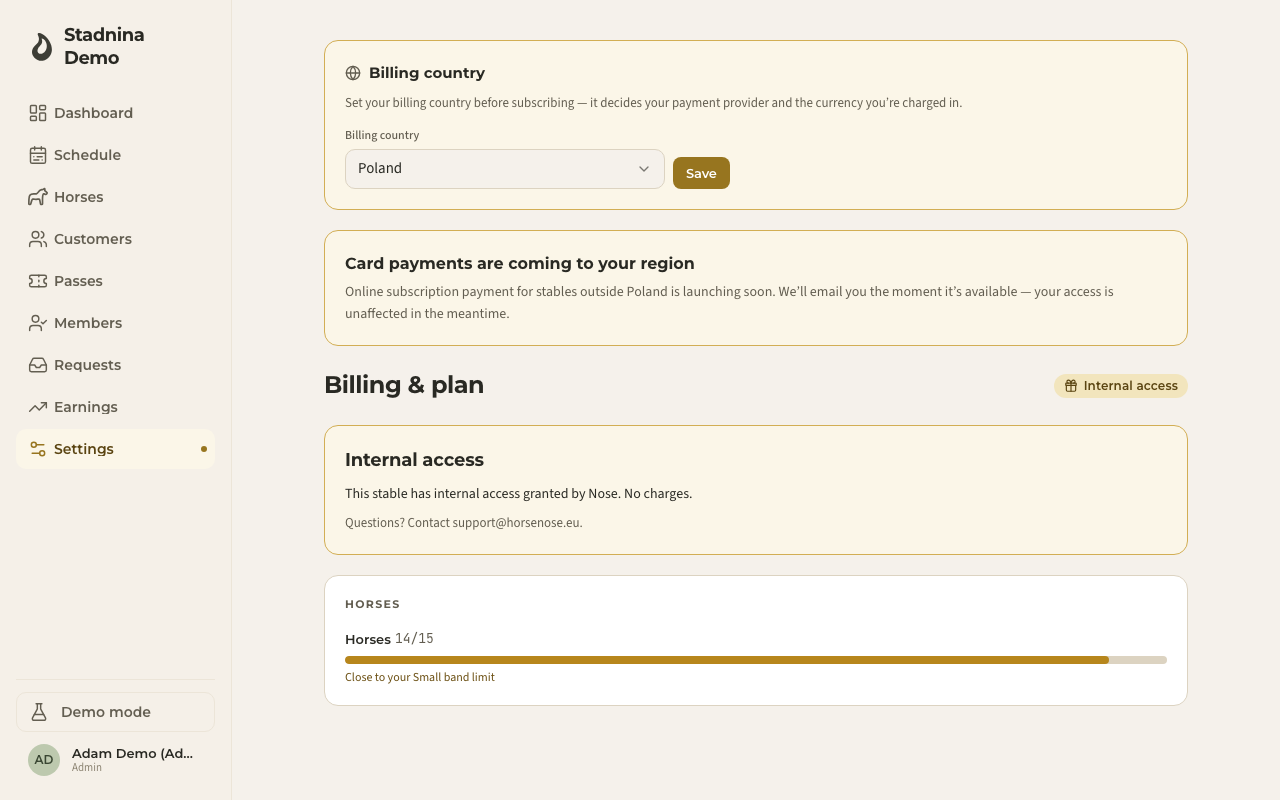
Your plan
This section shows your current tier, billing interval, and next bill date and amount — or, if you're on a free promotional period, when it ends and what happens after. Underneath, a horse counter shows how many horses you're using against your plan's limit, and tells you when you're getting close to the next tier.
Plans are banded by how many horses you keep:
- Small — up to 15 horses.
- Medium — up to 45 horses.
- Large — unlimited horses.
If you're close to or over your plan's horse limit, you'll see a prompt to move up a tier, with the price difference shown before you confirm. If you have room to spare, you may also see a prompt to move down — that takes effect at your next renewal, not immediately, and you can cancel it any time before then.
Confirming or changing your plan
- Go to Settings → Subscription.
- Your plan is never picked directly — it's set automatically by how many horses you keep. The only choice is your billing period: if you don't have an active plan yet, choose Monthly or Annual, then confirm with the one button that names your plan and price.
- Tier changes are prompted on this same page (see Your plan above) — the amount due today is always shown before you confirm.
- To update your card, click Update payment method. To cancel, click Cancel plan — you keep full access until the end of your current period. After that your subscription is over: your data stays, and we may limit the barn to read-only (no new rides, passes, or payments) until you subscribe again.
- Curious what other tiers cost? Use the See all plans and prices link on this page to open the public pricing page.
Invoices and payment method
Your invoice history is listed on this page, each with a download link — labeled Receipt or Tax invoice depending on your billing country. Updating your card or reviewing deeper payment details opens your payment provider's own secure page — click Update payment method to get there.
Good to know
- Before you can subscribe, you need to set your billing country — it decides your currency and payment provider, and locks once you have an active subscription. Contact support to change it afterward.
- If a payment fails, your barn shows a Past due status and a prompt to update your card; if it isn't fixed in time, we may restrict the barn to read-only until you're back in good standing — your data stays fully visible and exportable, but creating new rides, passes, and payments would be paused.
- Canceling doesn't delete anything. You keep access until the end of your paid period, and after that we may limit the barn to read-only until you subscribe again.
- Need a refund or have a billing question? Contact support@horsenose.eu.
Related
- Pricing — the prices your barn charges customers; separate from what you pay Nose for your subscription.